I Can't Afford a Team, So I Built Myself a Workroom
A behind the scenes look at how I built Workroom, a custom platform that helps me manage the many responsibilities of running Pretty Wired Builds as a one-woman company.
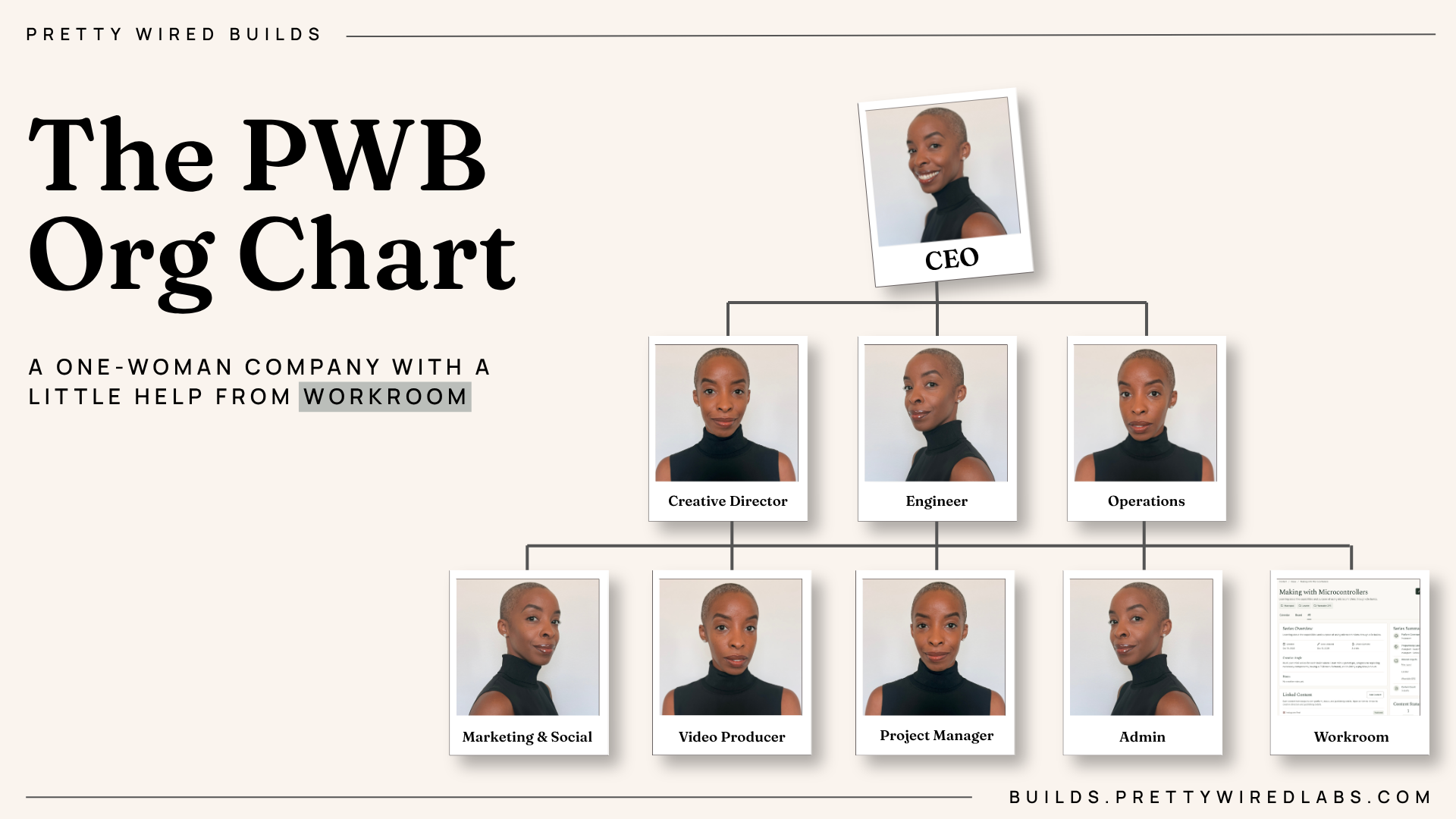
The Reality of Running a One-Woman Company
I caught the same bug that most solopreneurs eventually catch: my ambitions exceeded my current resources.
What started as an outlet for sharing my feeble attempts at building LED circuits grew almost instantly overnight into a platform for both encouraging and helping other curious adults discover and pursue electronics later in life.
I was no longer just posting a 30-second Instagram reel, ever so slightly edited for a bit of aesthetic appeal. Instead, I was managing collaborations with brands, maintaining a busy inbox across 3 platforms, brainstorming new content series based on audience asks, filming and editing content, and analyzing engagement across platforms all while dreaming of new things to build.
Plus, a full-time job that I eventually decided to leave in the pursuit of finding joy in another.
I love the work that I do with Pretty Wired Builds. The brand has grown considerably well over the past couple of months. But in true Gemini fashion, I never felt satisfied with where the brand stood at present. When I realized that Pretty Wired Builds could be so much more than sharing my personal experience in developing a new hands-on technical skillset, I wanted more for the brand.
But to get there, I knew that it was time to add some structure to the day-to-day operations.
I had a 'come to Jesus' moment with myself a few weeks ago. I had meeting requests for dates that had already passed. A few invoices to chase down. A content series that had gone stale. Random thoughts about content scribbled across pages in my Notes app. A growing number of Instagram followers with no true insight into how my existing content was performing.
I needed another me.
However, I couldn't afford another me. And in this economy, free labor is a rarity. Not to mention, I much prefer to pay humans their worth. But I also knew that I couldn't make my current business financial standing attractive enough to part ways with paying someone a salary.
But you know what I did have? An OpenAI subscription and Codex.
Why Another Productivity App Wasn't the Answer
So, I think the obvious solution that you might've been considering is: Why not just subscribe to an productivity app/platform that's already on the market?
Well, been there. Done that.
After years of vowing to never turn into one of those people obsessed with Notion, I eventually gave my life to Notion in the summer of 2025. I had needed some sort of project management solution that would enable me to link project outcomes to a dashboard so that I could analyze how well my content performed. After looking around at what was on the market, Notion really only seemed like the most flexible option, just shy of creating my own custom solution.
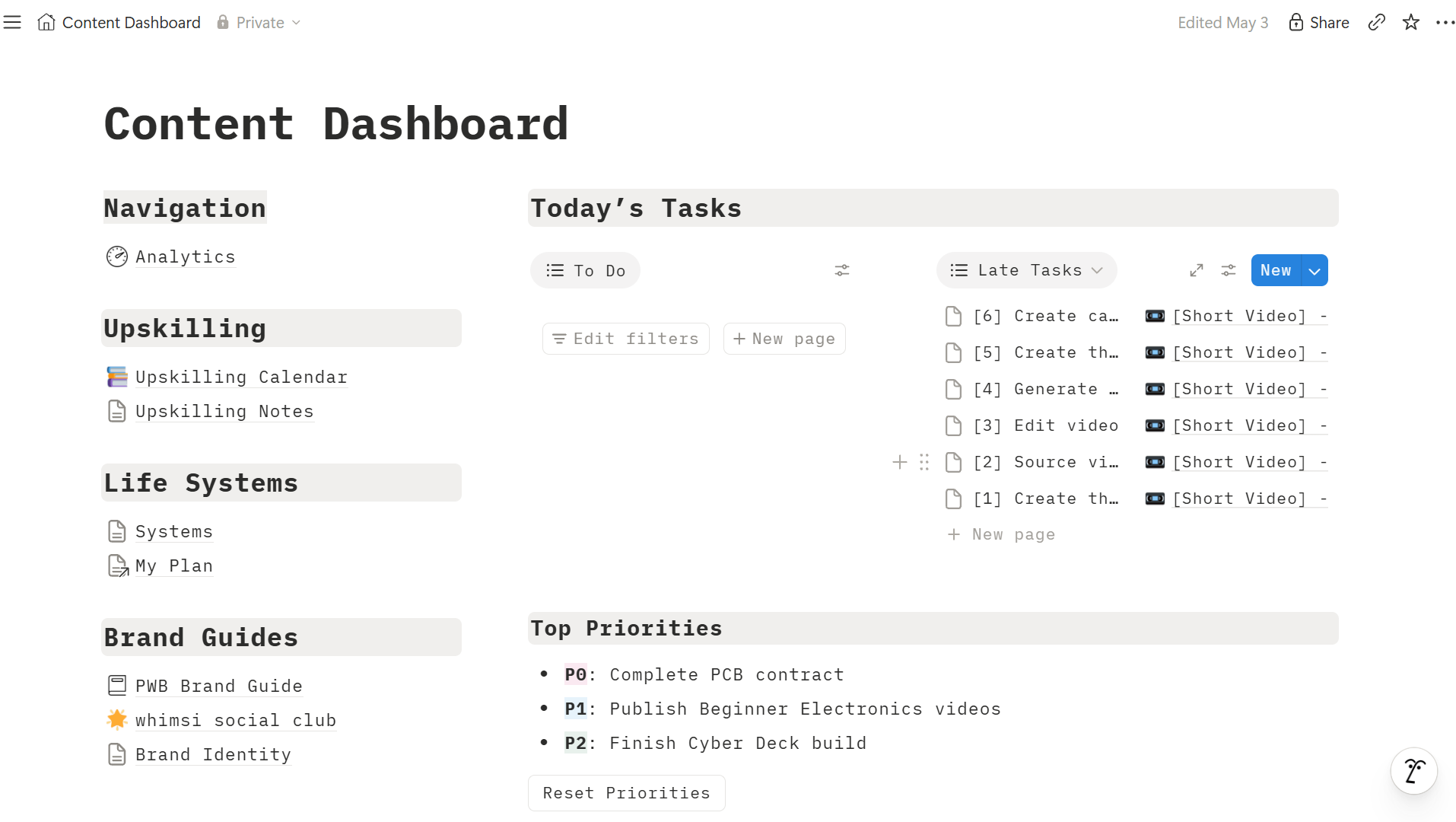
And for a while, Notion was actually pretty great. But as my needs began to get more complex, the platform began to fall short of its ability to meet my needs. After 6 months of being a hardcore daily Notion user with custom formulas and dashboards, I terminated my subscription and went back to managing my content via the Notes app on my iPhone.
Pre-built solutions are great until they aren't. While there's typically ways of finding workarounds to make that thing you want to be a feature work, this often complicates an adjacent workflow or tasks somewhere later than the road. And before you know it, your workarounds breed new workarounds for just simply displaying or maintaining information in a way that's conducive to how you work.
After coming to terms with the current mess that I was in, I took inventory of what would make my solopreneurship easier to maintain. Most important, I needed a solution fast given that I was right in the middle of my largest brand collaboration to date. What better time to put a new system into place and validate whether it works by using a real-life scenario, right?
But why Codex?
Well, I knew that I was leaving Microsoft. That's not to say that GitHub Copilot wasn't an adequate contender. Rather, I knew that I'd eventually lose the built-in employee access that I had become accustomed to using. I needed to use something that I was already paying for without the need to increase my business expenses with yet another subscription service. Despite being a Microsoft employee, I maintained both OpenAI and Anthropic subscriptions for my personal endeavors. However, I never found myself to be a power-user of either platform's coding assistant. I had a bit of experience with Claude Code and virtually none whatsoever with Codex.
I chose the road less traveled and figured it was a good opportunity to get comfortable with Codex.
Not to mention, my new 9-5 role requires familiarity with the tools and platforms that developers are using these days. Rather than wait for the first day of work to start exploring new tools, I chose to dive head-first into picking up another coding assistant platform.
Building Workroom: A System Designed Around How I Work
Having taken inventory of what would make my life easier, I knew that I needed the following pages for Workroom:
| Page | Purpose |
|---|---|
| Overview | A landing page that would provide a high-level overview of where content and outstanding tasks currently stand. |
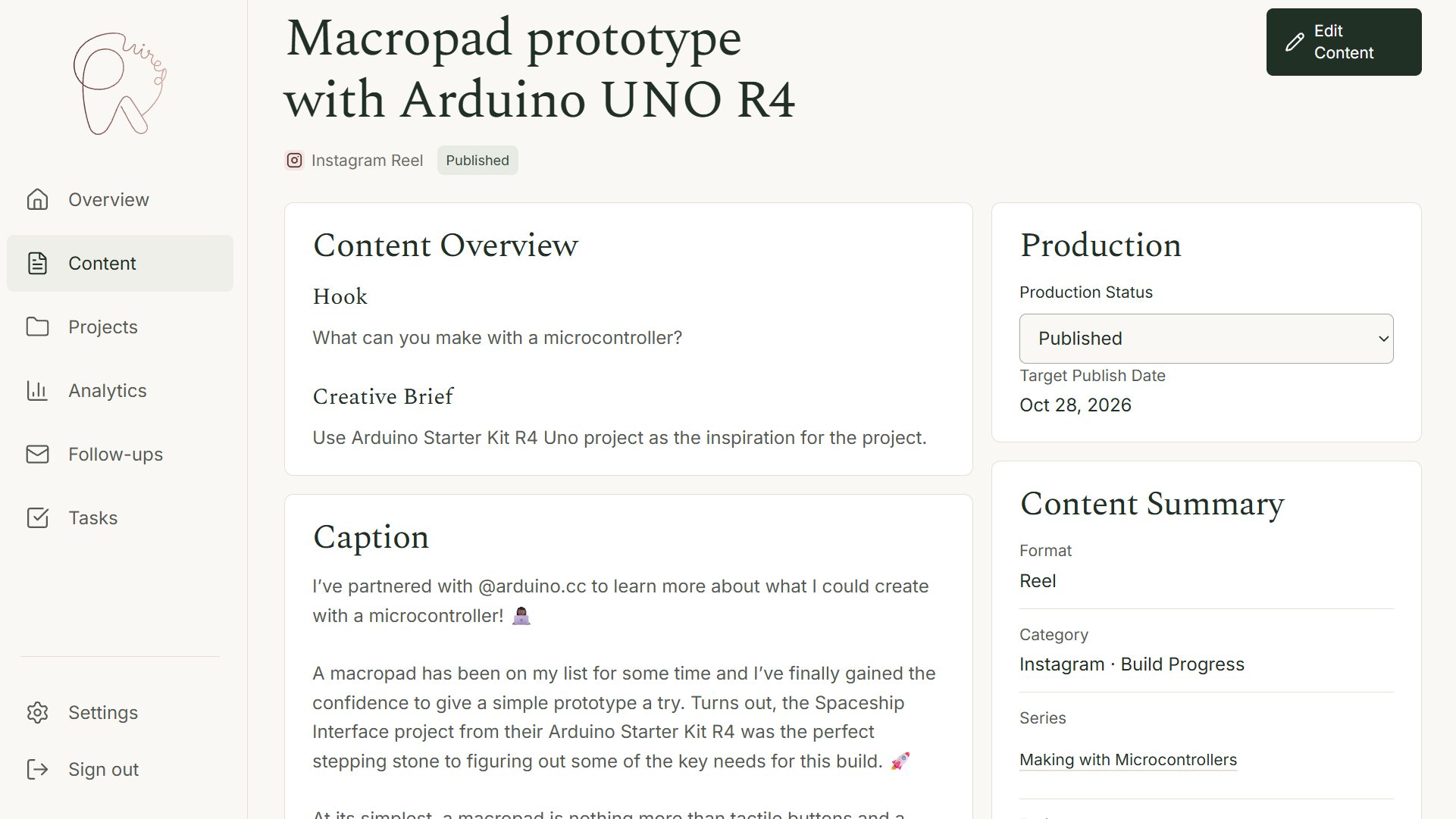
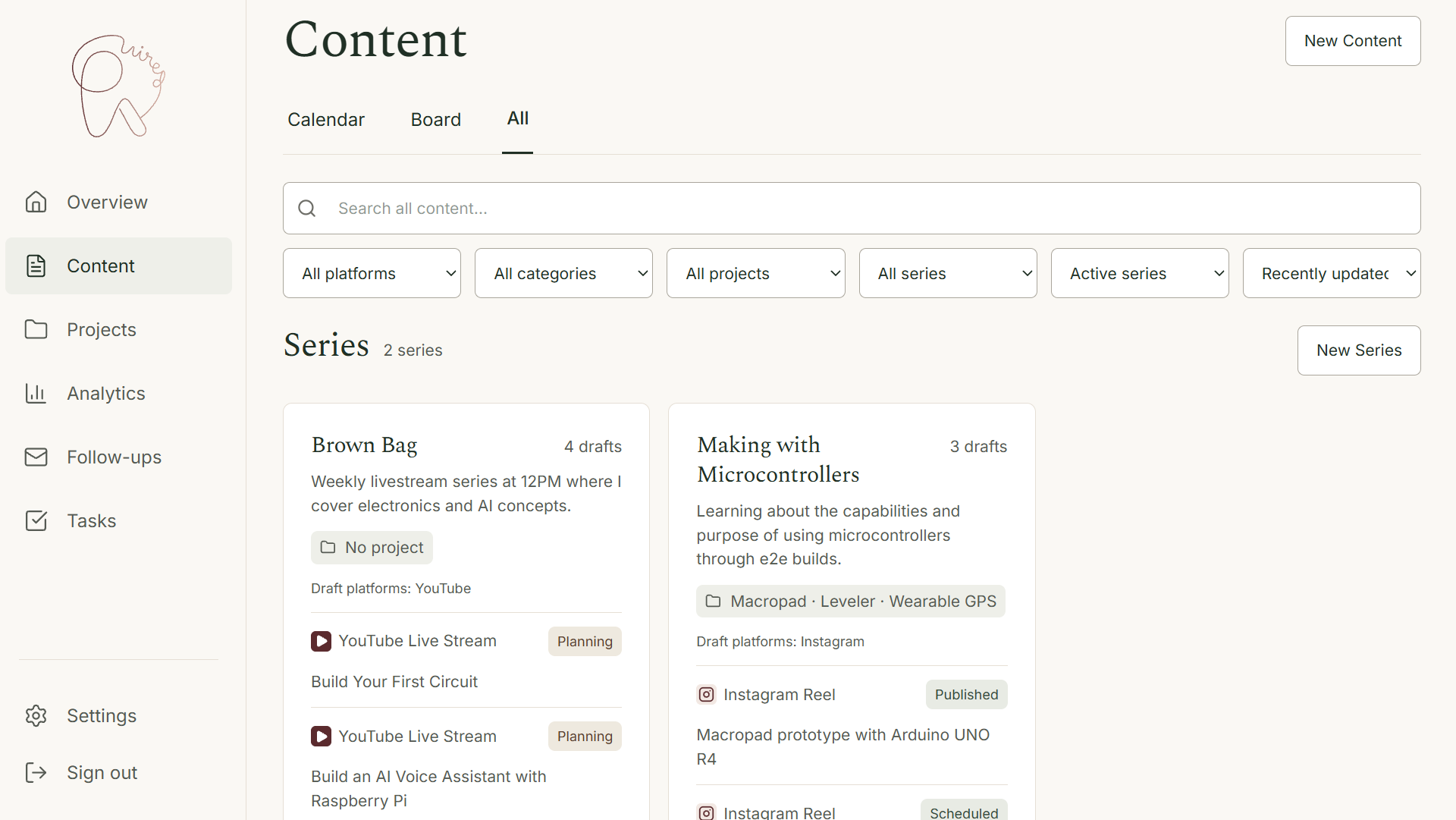
| Content | A place to manage series, content linked to series, and a visual of my content calendar. |
| Projects | A repository of builds along with their outstanding tasks, supplies, notes, and any linked content. |
| Analytics | A comprehensive review of how my content was performing across YouTube and Instagram, equipped with an AI analysis to help uncover patterns and drive new ideas. |
| Follow-Ups | Insight into my inbox that would double as task management and the ability to have AI generated responses drafted. |
| Tasks | A consolidated place to view all outstanding tasks across content and emails. |
Pretty Wired Builds has a very strong minimalist aesthetic that I prefer to carry over into various assets that I've made for the brand. This made choosing the look and feel of the UI quite easy because I didn't feel myself having to reinvent the aesthetics wheel.
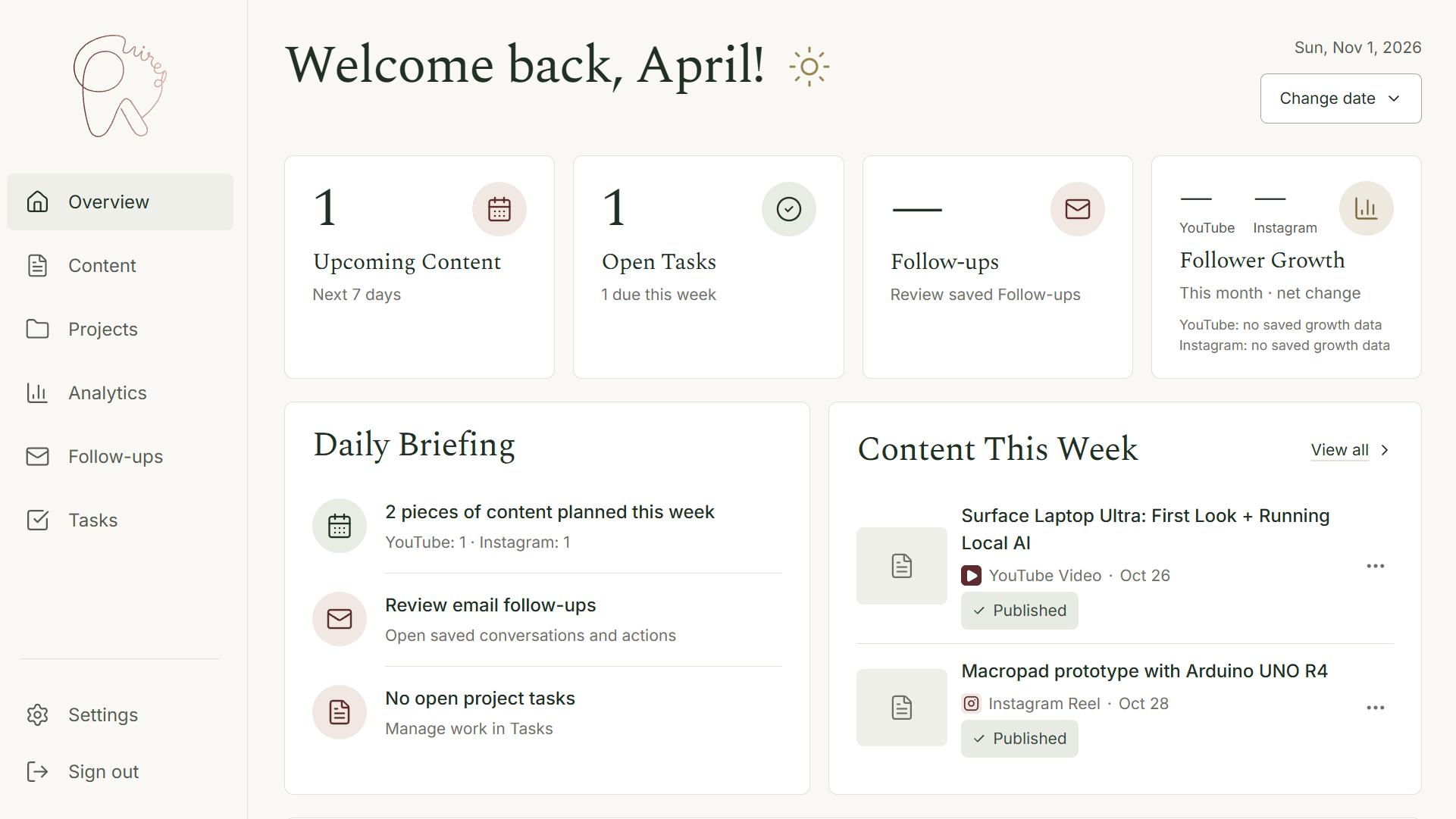
I had ChatGPT generate mockups of the UI based on my desired sections and platform features. I organize all my conversations about Pretty Wired Builds in a Project Wired Builds project within ChatGPT which has proven itself to be helpful whenever I need UI mockups generated for a project. I went page by page generating mockups and eventually brought those reference images into a References folder inside the project.
As a long-time fan of Impeccable, I relied on the agent skill to establish the design language for Workroom so that every time I told Codex to create a new page or modify a layout, color, whatever, Codex knew to refer to the project's Design.md file. This is where those reference images came in handy because I pointed Codex to the images whenever invoking the Impeccable skill.
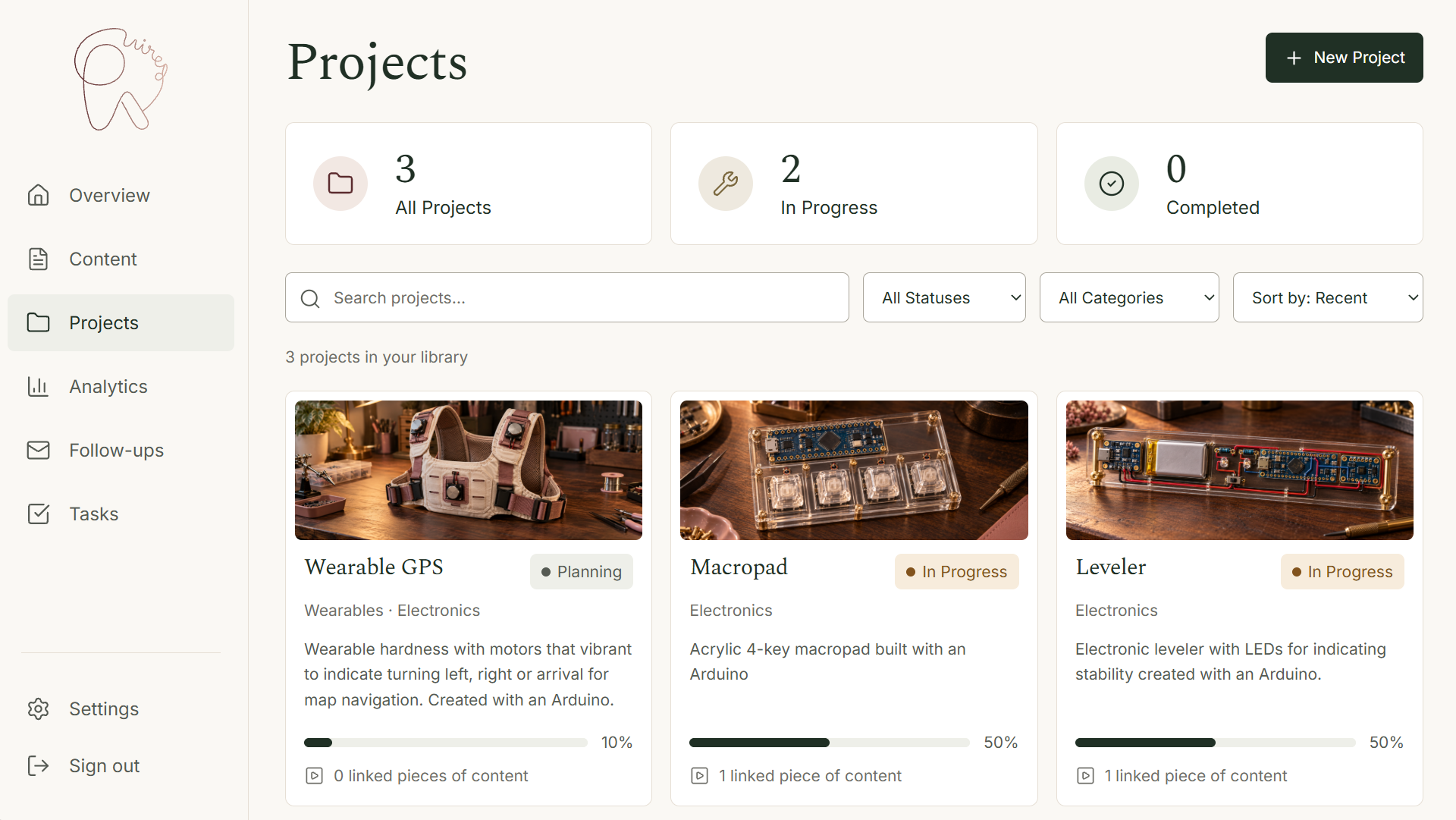
I decided to try my hand with a few account integrations, primarily Microsoft 365, YouTube, and Instagram. This was actually my first time ever building something that pulled real information from one of my personal accounts. Surprisingly, it wasn't all that bad, although I did run into a few minor hiccups along the way. But those hiccups were due to human error. For example, when integrating YouTube into practically anything, you have to give permission to the right account. I know, that sounds obvious. However, I kept accidentally signing into the wrong Gmail account while establishing permissions and kept hitting an error which insisted that the account was not listed with permission to access my YouTube channel analytics. A similar thing happened with Instagram as well. But that's really just the consequence of having multiple accounts on any given platform.
Since Workroom is hosted online and not necessarily just locally accessible, I needed a way to authenticate users for access to the platform. Since I was already using Microsoft 365 for my inbox integration, I was able to leverage bits of that setup to manage access to the entire Workroom platform.
And what's a platform without a database, am I right? I chose to use Supabase as Workroom's persistent database which enables me to keep my saved work available across devices and sessions. I have the following stored in Supabase:
• Projects, Content, Series, and Taks, including links between Tasks and Follow-ups
• Microsoft 365 connection details and sync progress, plus encrypted Follow-up analyses, drafts, and sharing preferences
• Application sign-in sessions and owner authorization records
• Analytics connections and imported platform data
For a few earlier custom apps that I've made, I leveraged Supabase for authentication but soon learned that if you go too long without writing to its tables, you'll start getting emails about pausing your project. Well, if you're authenticating app access via Supabase, that also means that you can't get into your app if your project is paused. The solution is to just pay for a Supabase subscription but…I like the free tier. So this time around, I left the authentication to M365 since I'm already paying for that service.
Putting AI to Work Behind the Scenes
It felt like I would do myself a disservice by not integrating generative AI somewhere into Workroom. After all, I needed another set of eyeballs, well proverbial ones in this case, on how my content and inbox were both coming along.
Inbox Management
Am I good at checking email? Absolutely. Love reading emails. But am I great at turning 'asks' into an action item and then tracking whether I took action on that action item? Let's just say there's much to be desired.
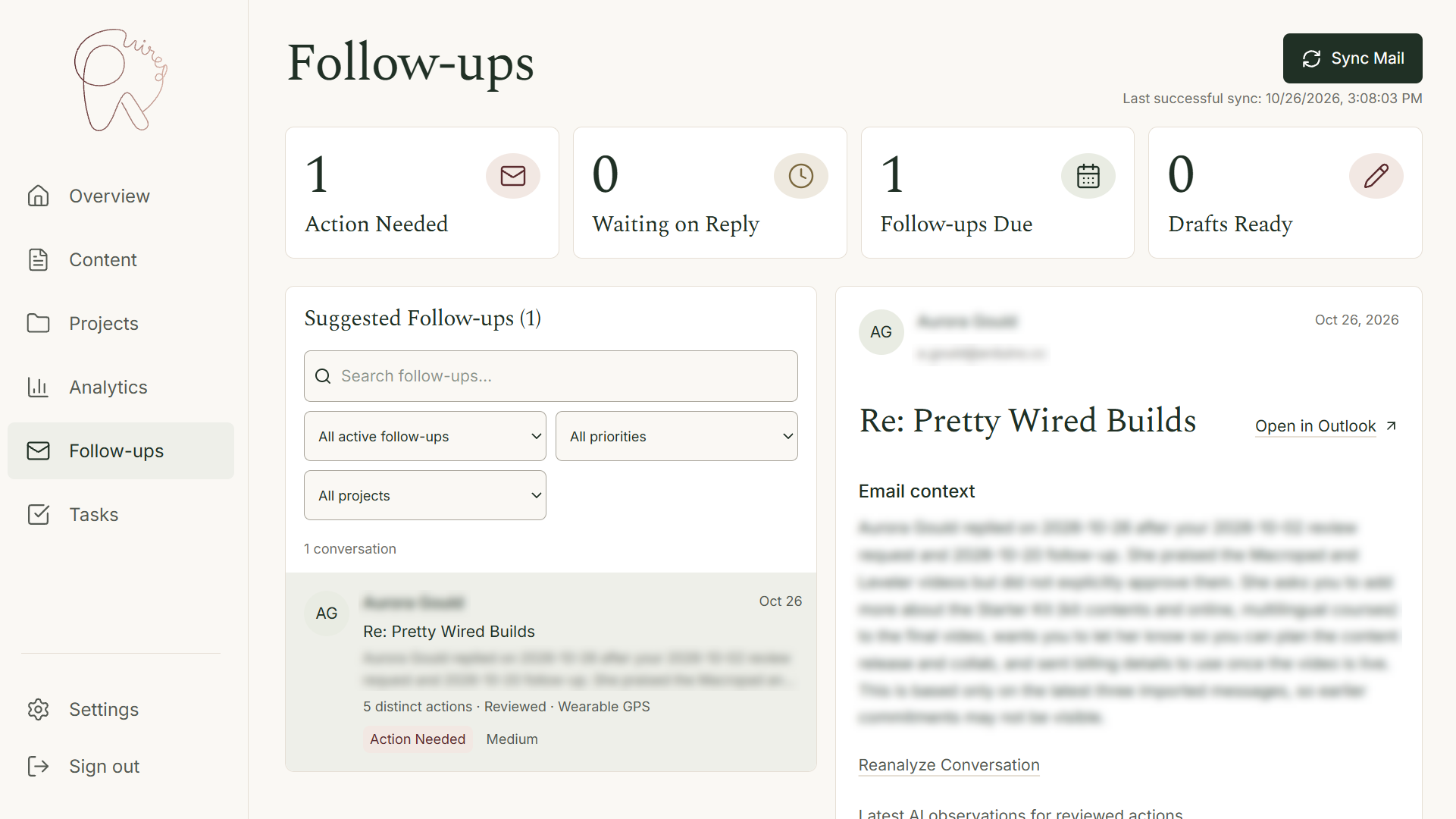
Workroom uses Claude Haiku 5.5 to analyze my inbox and sent messages to do the following:
• Summarize what needs attention
• Identify commitments/deadlines
• Suggest follow-ups and project associations
• Flag unanswered requests
Rather than let Claude Haiku 5.5 run automatically on a timer, I manually initiate processing with a button that I added to the UI labeled Sync Mail. I should probably mention that I cleaned my inbox thoroughly before implementing this feature so that I wouldn't waste model consumption on a bunch of irrelevant emails.
To further help minimize my token input, I limited the model to only review the latest 3 messages per email thread so that it wouldn't have to process the same email responses over and over again, especially if a conversation grew too long.
Analysis runs server-side and all saved results are encrypted. In addition, full email text isn't stored or logged. Plus, I gave myself a 1-click option in my Settings to disable use of the model if needed.
Although I like reading emails, I'm not a fan of responding. Often, I imagined that I responded but it's really just in my head. I do the same for text messages.
With that said, Workroom uses GPT-6 Luna to draft email responses, but only when I request it. I manually initiate email drafting with the Generate Draft or Regenerate buttons. The model uses the latest 3 messages, current Follow-up analysis, and my revision instructions. And that's really all that this feature can do, draft a message. I didn't implement the ability to respond to emails because I'm not that trusting yet of language models.
I should probably note that my business emails also aren't so precious that I would lose faith in humanity if the content of my inbox ever got out. Therefore, I'm alright with providing the models with access to what each one currently can access.
Analytics
I haven't thoroughly implemented the AI analytics component yet of Workroom since I chose to start fresh with content published late-October. I recently revised my content strategy and would prefer to measure the efficacy of this new direction.
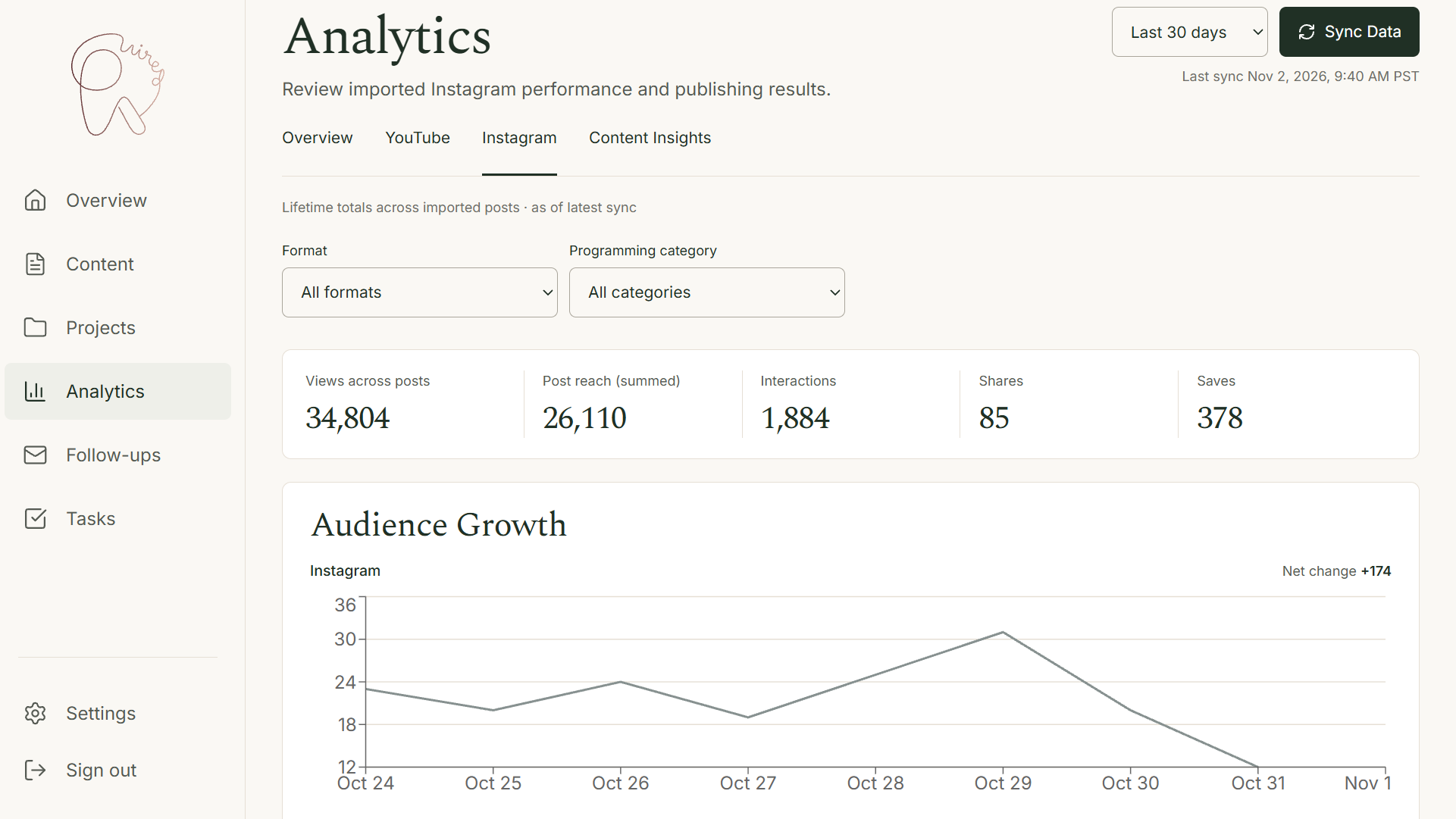
Therefore, there's not much insight to be generated at this time. Once I near the end of November, I'll revisit the AI Analytics feature and setup analysis for both my YouTube and Instagram content.
At present, I currently have placeholders for the following sections:
• Performance by Content Category
• Performance by Format
• Maker Project Performance
• Creative Concept Performance
• Interpretation
• Content Performance Spotlight Analysis
Once implemented, I plan to use this information to help me better understand the performance of my content and topics that my audience tend to resonate with most.
The Freedom to Build, Change, and Evolve
While I was adding a content record for my Brown Bag livestreams, I realized that I was missing the Live Stream option in my Format drop-down. And you know what I did? I had Codex add it. Cheap use of AI, sure. But man did it feel great to know that I could get that updated in literally seconds without navigating configuration screens or reaching out to an engineer to update my Format field options.
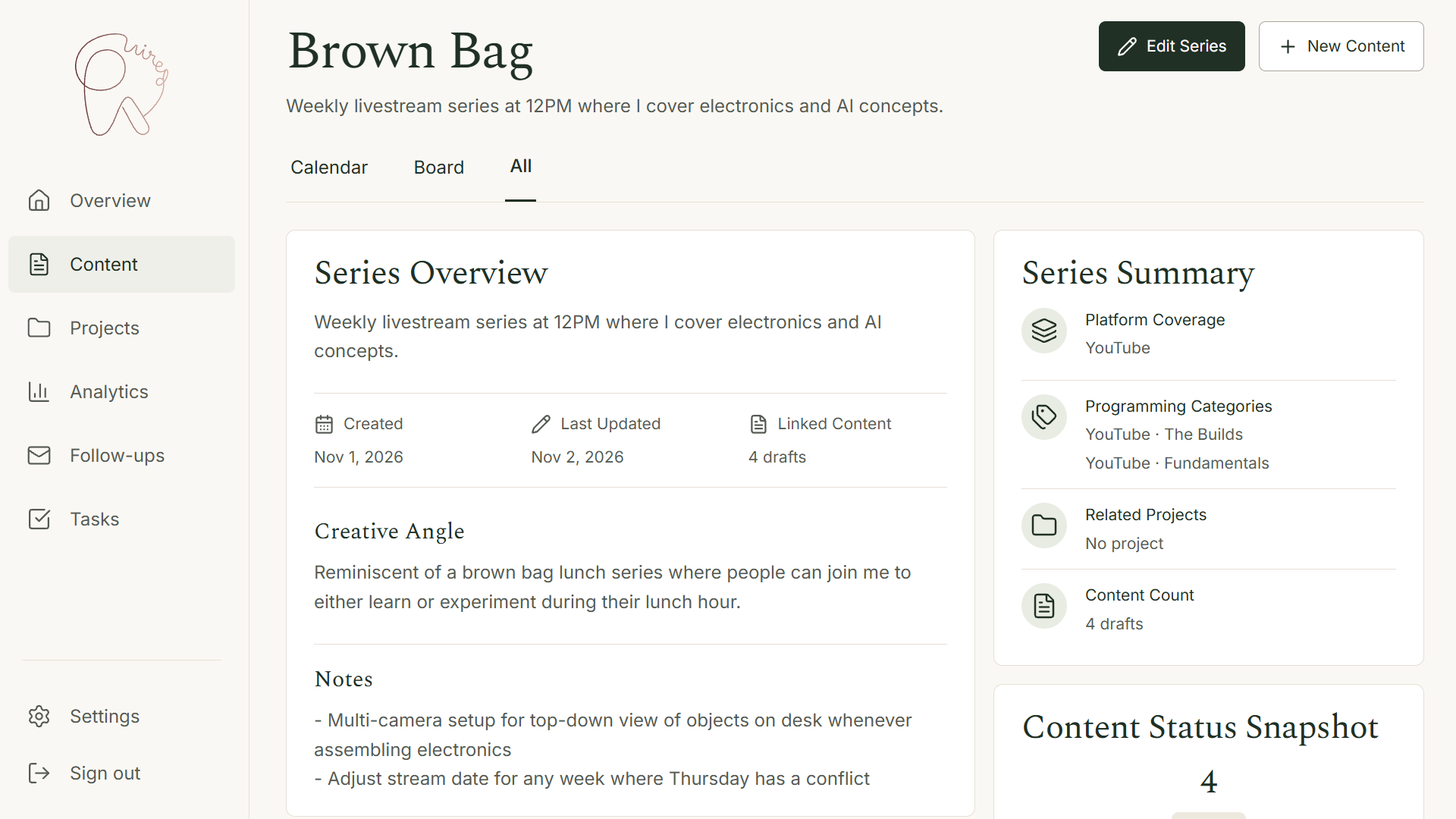
That's the beauty in maintaining my own solution for managing my workload. Rather than force myself to fit my processes into someone else's platform, I'm no longer constrained to some 3rd party's backlog of future features that may never see the light of day.
What I'd Do Differently
I really need to setup a staging environment for the platform. Due to the email integration, I ran into an issue with pulling in emails when viewing Workroom at its localhost address. It's something related to the URL listed in my M365 admin settings. In any case, I've been making updates on the fly and pushing to prod…which I do not recommend.
So, yea, I'll get a staging environment setup within the coming weeks.
Building a Business Without Doing Everything Myself
While wearing independence like a badge has its ability to stroke one's ego quite nicely, I don't find it a feasible means for maintaining a growing business long-term. Doing everything myself served its purpose in the early days of Pretty Wired Builds. But these days? I need all the help that I can get for the low cost of leveraging AI tools that I'm already paying monthly subscription fees towards.
While I long for the day that I can hire (or at least contract) my first employee, I feel far more capable now of managing my small business as a solopreneur.
Curious to see a full walkthrough of Workroom? Reach out via email or LinkedIn and if time permits, I may be able to give you a tour.